How Callvy Works
Set up once. Stop missing customer calls.
Go from onboarding to live AI calls in few minutes.
Set up in minutes. No tech required.
Callvy learns your business just like
a front-desk staff member — then answers,
books, and follows up automatically.
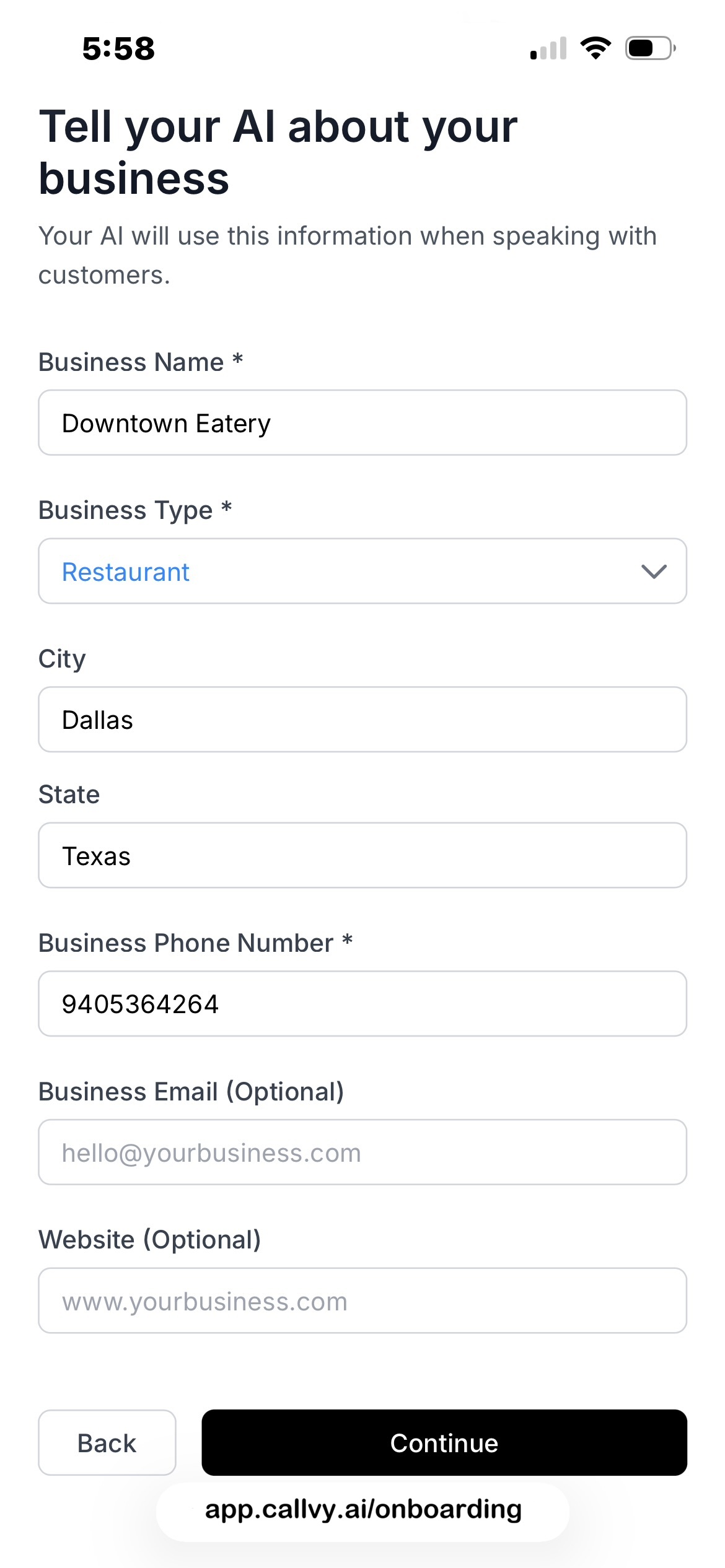
1. Teach Callvy your
business — once
- • Business info & services
- • Pricing, rules & policies
- • Working hours & availability
2. Connect your tools
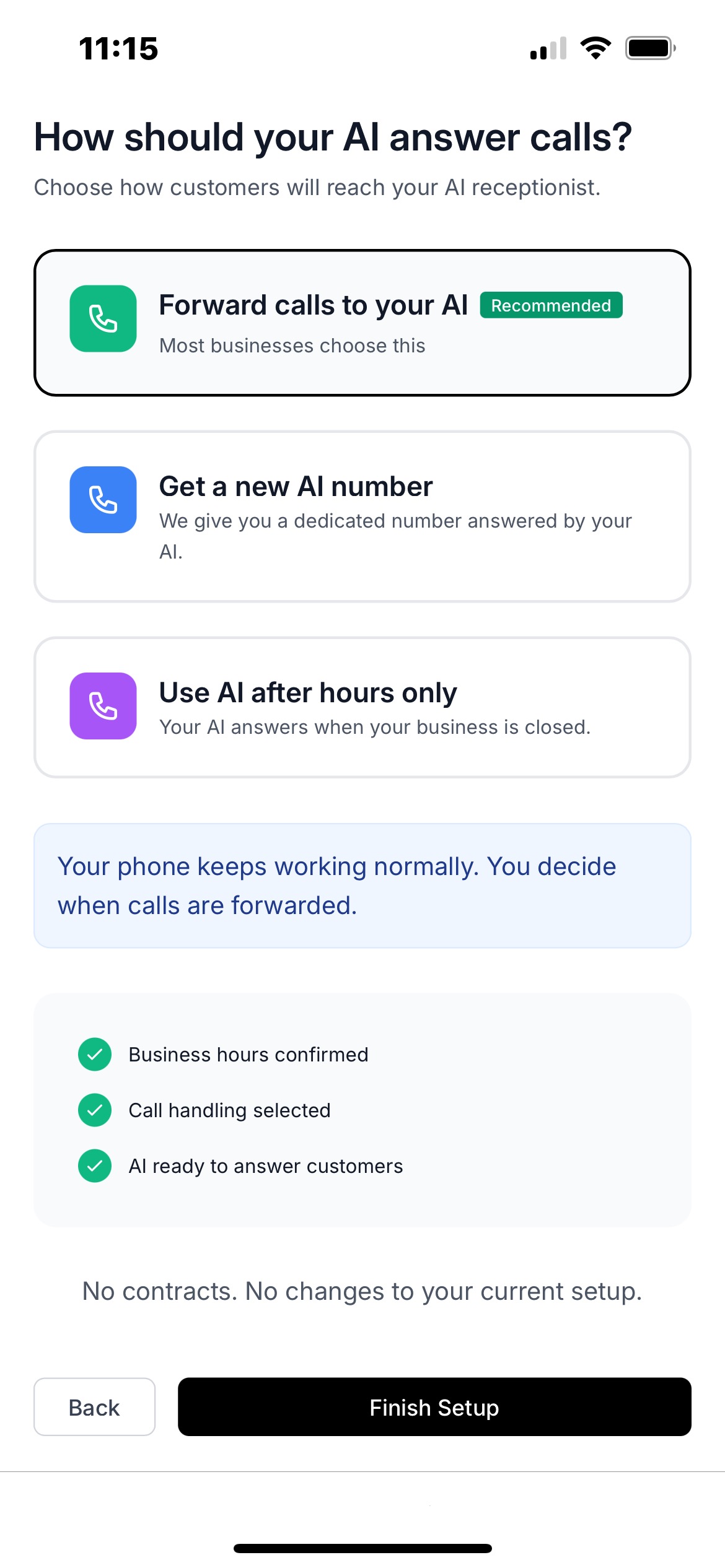
in one click
- • Connect Google or Outlook calendar or use Callvy's built-in booking system
- • Use your existing number
or get a new one - • Choose when AI answers calls
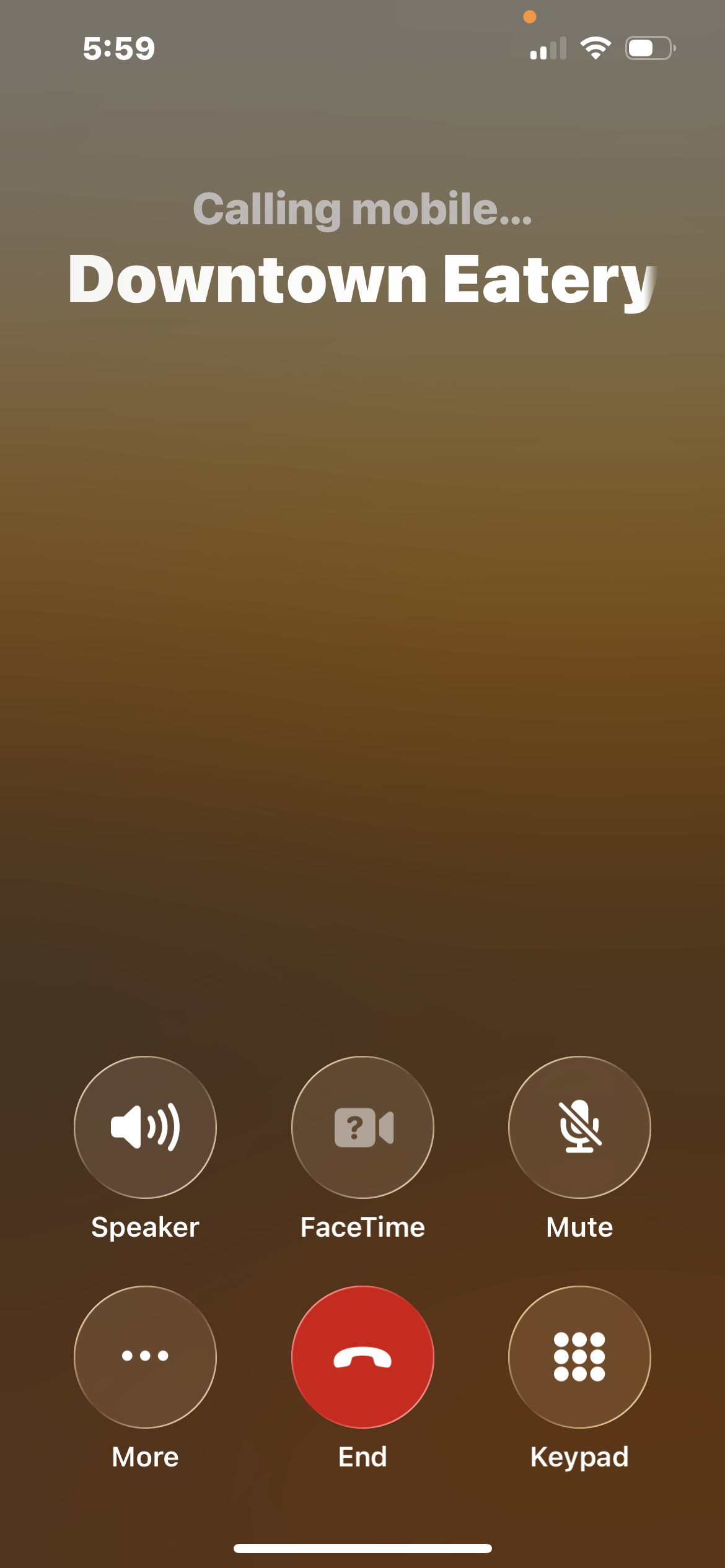
3. Calls are handled
automatically
- • Answers incoming calls
- • Books appointments in real time
- • Sends SMS / WhatsApp / email confirmations
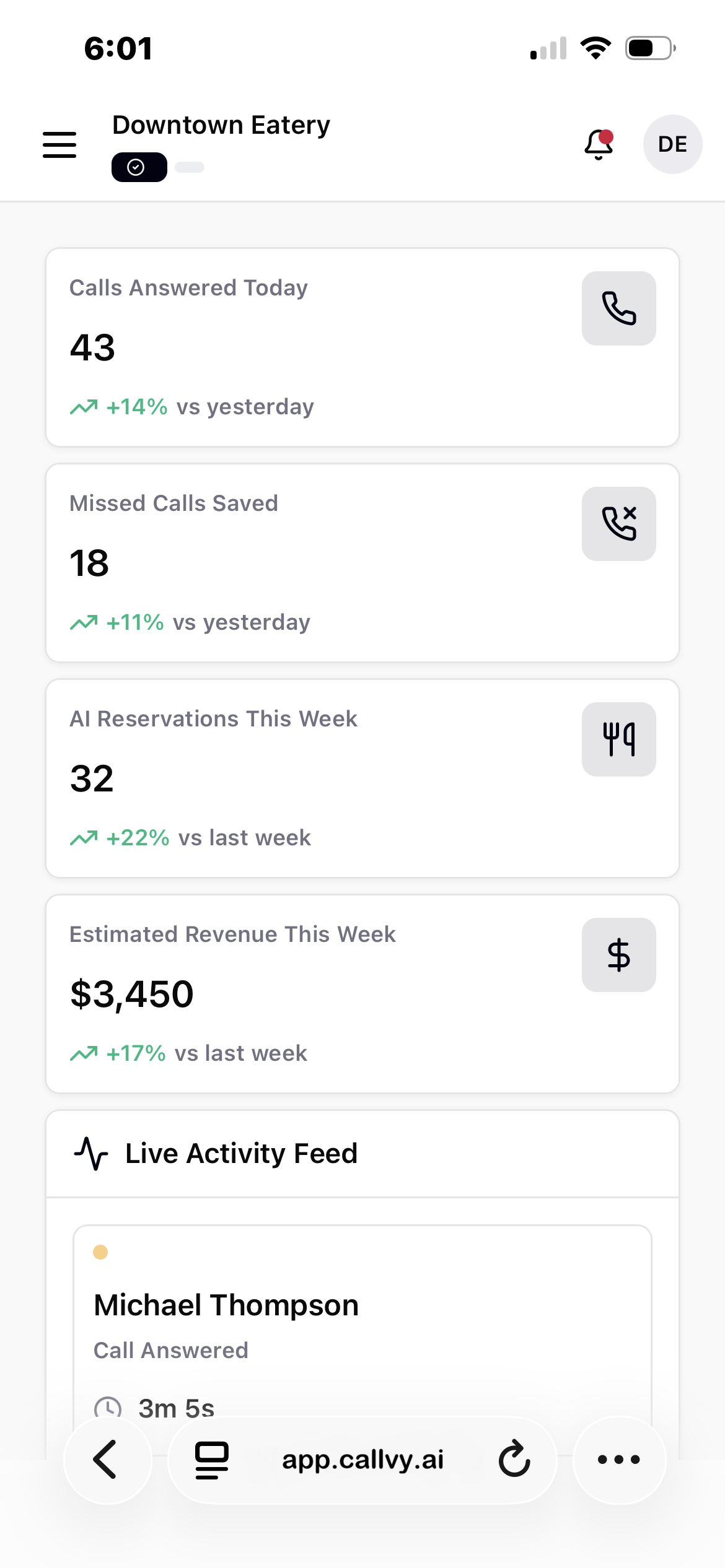
4. You stay in control — always
- • Call logs & summaries
- • Appointments, bookings & leads
- • Calendar & message history
Stop Missing Business Calls Starting Today
Set up in minutes.
Try free. No commitment.
FAQs
How long does setup take?
Most businesses are live within 10-15 minutes.
Do I need technical knowledge?
No. Setup is guided step-by-step and requires no coding.
How does Callvy connect to my calendar?
You securely connect Google Calendar or Outlook. Callvy only accesses availability, not personal data.
What happens if two people try to book the same time?
Callvy checks live calendar availability before confirming any booking, preventing double bookings.
Can I control what the AI says?
Yes. You can edit greetings, responses, booking rules, and FAQs anytime.
 Instagram
 Twitter
 LinkedIn